User Manual
Intro
This document is the documentation for the ANTONY database.
ANTONY is used to store, on the Web, works of music with electronics. The fundamental element stored in the database corresponds to the archive of a "version" of a work, as it was performed on a given date in a given location.
Antony Public Access
The URL of the ANTONY Web application is: https://antony-archiv.org/
The home page of the site looks like:
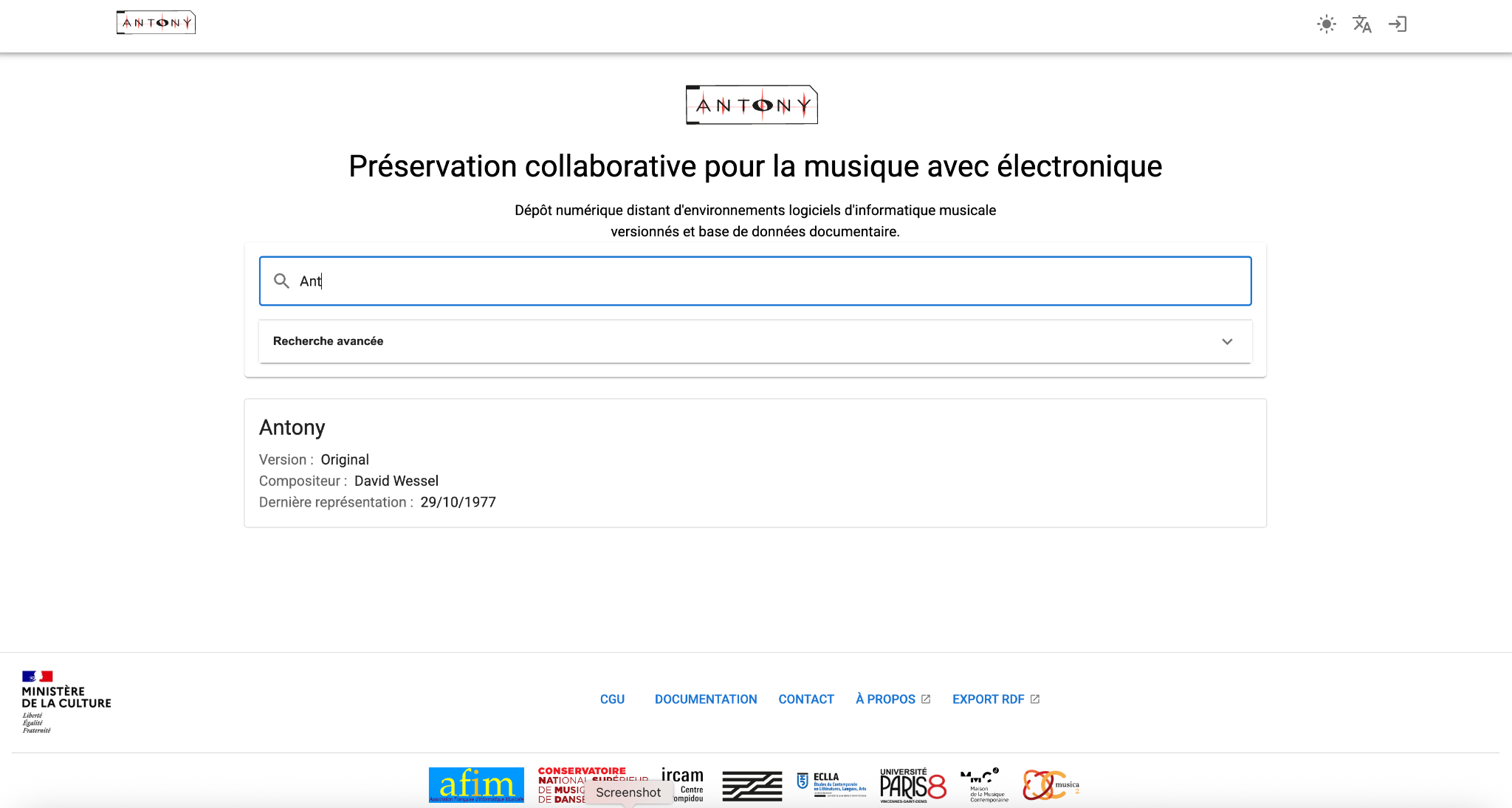
This page is public. It provides read-only access to the documentation of all versions present in the database that have been "published". A "published" version is a version validated by the editorial committee[1] following a request from the depositor.
Clicking on a version takes you to the work's documentation page, where you can view the complete tree structure of the digital deposit made available for documentation purposes in the Files section. These documents are not downloadable (with the exception of any documents made "public" by the depositor).
Home page and version display
3.1 Home page
The Antony logo
 appears in the top left, providing
direct access to the home page.
appears in the top left, providing
direct access to the home page.
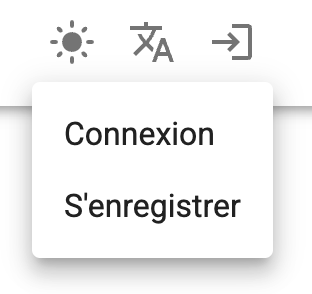
In the top right, there are several buttons:
a button to switch between light and dark display mode:
a language selection button (French or English):
a button to create an account (register) or log in:


At the bottom of the page are the logo of the French Ministry of Culture and those of the partners associated with the project, along with buttons providing direct access to:
the general terms of use;
this documentation;
useful contacts (to send an email to the administrators or subscribe to the antony-news mailing list);
a link to the website presenting the history of the project;
an RDF export of the entire database.
3.2 The Version page
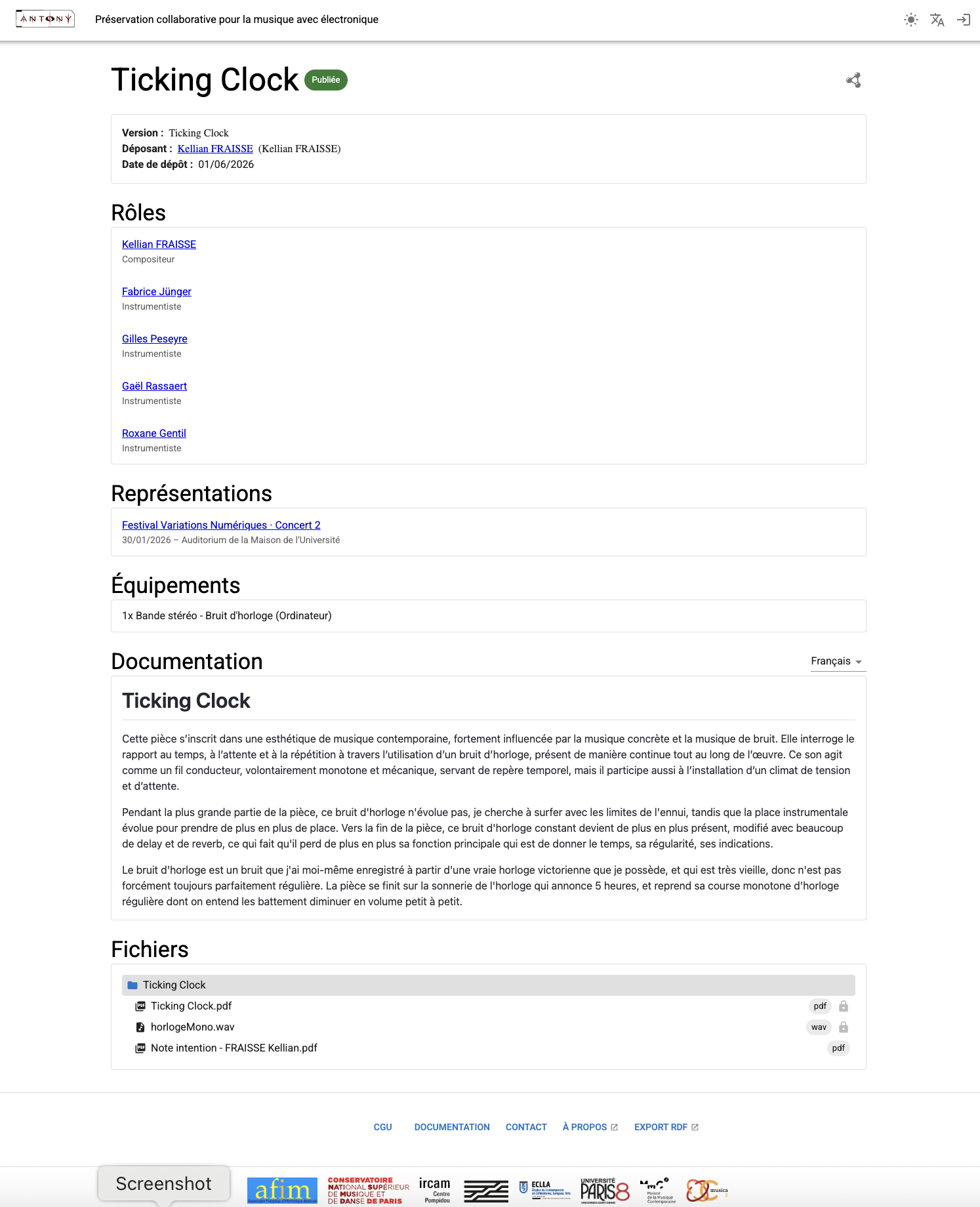
This page presents a version of a work recorded in the Antony database.
It contains:
a box indicating the title of the version, the depositor's name, and the date of deposit;
a Roles section presenting the individuals who took part in producing this version;
a Performances section giving details on the performances given of this version;
an Equipment section listing the equipment used in this version of the piece;
a Documentation section presenting the piece according to a set of guidelines given at the end of this documentation;
a Files section presenting the tree structure of all the files belonging to the version. "Public" files may be freely viewed and downloaded. The others are of "Private" type, and authorization must be requested from the administrators in order to access them.
4. Creating a user account
To contribute ( = to be able to become a "depositor"), you must create an account and then provide justification for your reasons for using the Antony platform, in compliance with copyright law. To do so, fill in the form found at: https://antony-archiv.org/register or by clicking the button

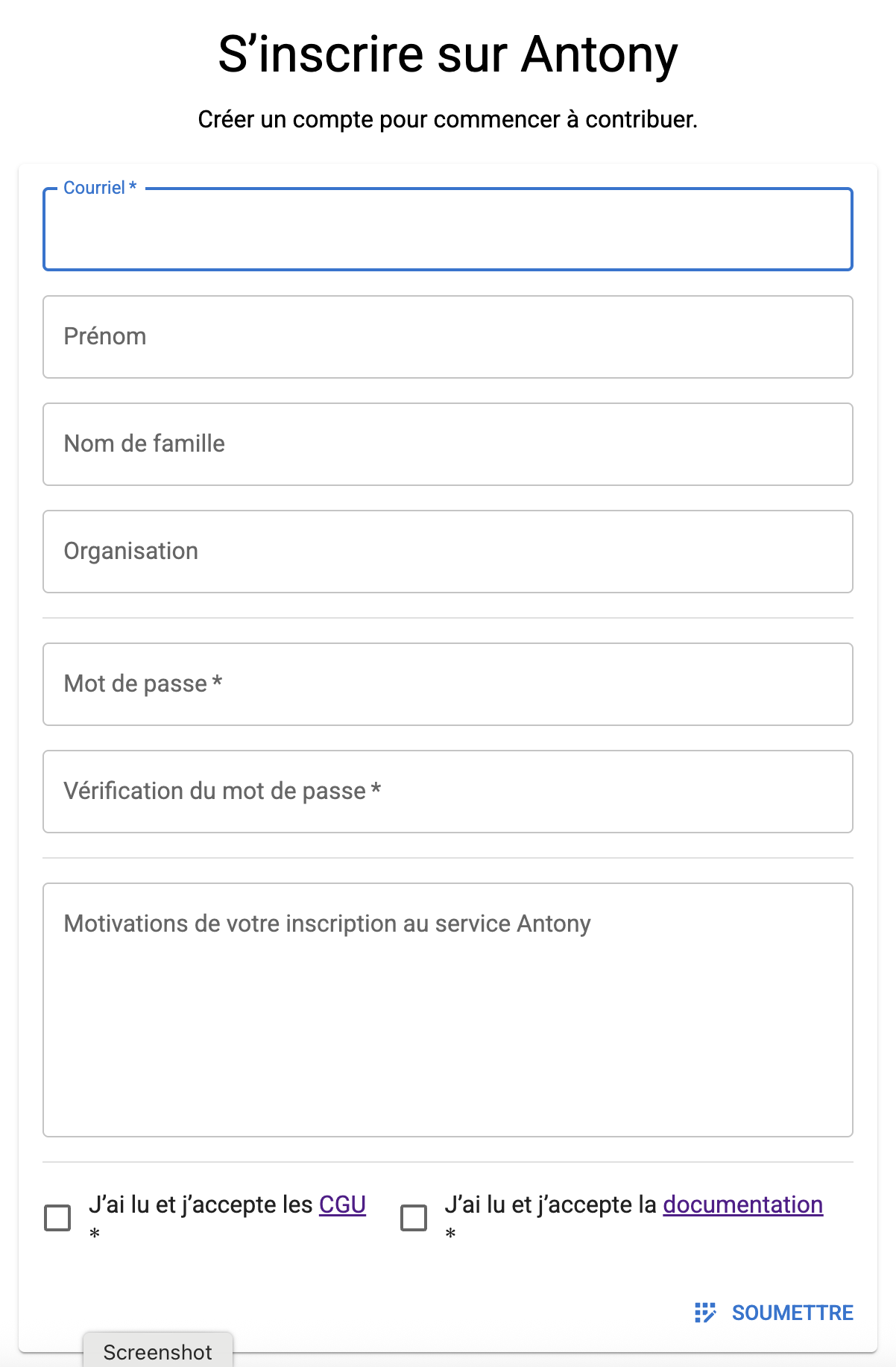
Submitting the form will send a notification to the editorial committee, which administers and moderates the application, and the applicant will receive an email confirming that their account has been created.
5. Depositing a "version"
5.1 Creating the version and depositing an archive
Depositing a version of a work consists of uploading the compressed ZIP archive of the electronic part of that work and documenting it, all within the Antony application.
A version of a work deposited on Antony can have several statuses. The first status is "draft", which keeps the version unavailable to the public in the database (visible only to the depositor). The second status, "published", makes the version visible to the general public. To be published, a request must be made by the depositor (via the "submission" menu). The editorial committee then reviews it in order to make it "published", subject to any modifications that may be requested from the depositor.
Depositing a version is only possible when the depositor holds all the rights required to make this deposit (transfer of copyright concerning the deposited documents).
To deposit a version, go to the Antony website: https://antony-archiv.org/ and log in to your account (button in the top right):
Once logged in, your initials appear as follows:
The "+" sign appears. It allows you to "add" a version, and an "Add a version" form opens:
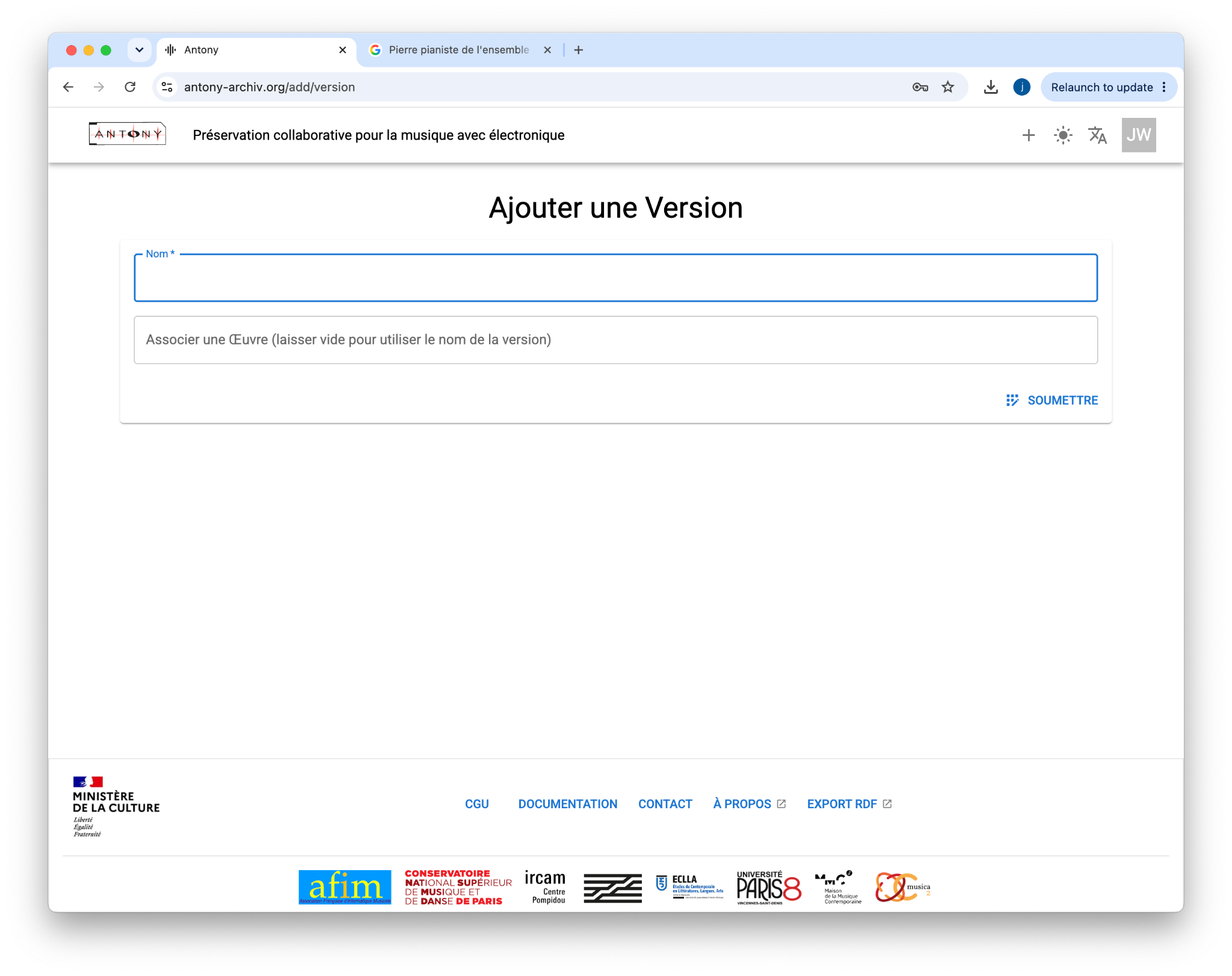
This form lets you enter the name of the version you wish to deposit and link this version to an existing work, or enter the name of the work if this is the first version deposited for that work.
The "SUBMIT" button confirms the creation of your version, along with its entry page, and associates it with a creation date and your name as depositor.
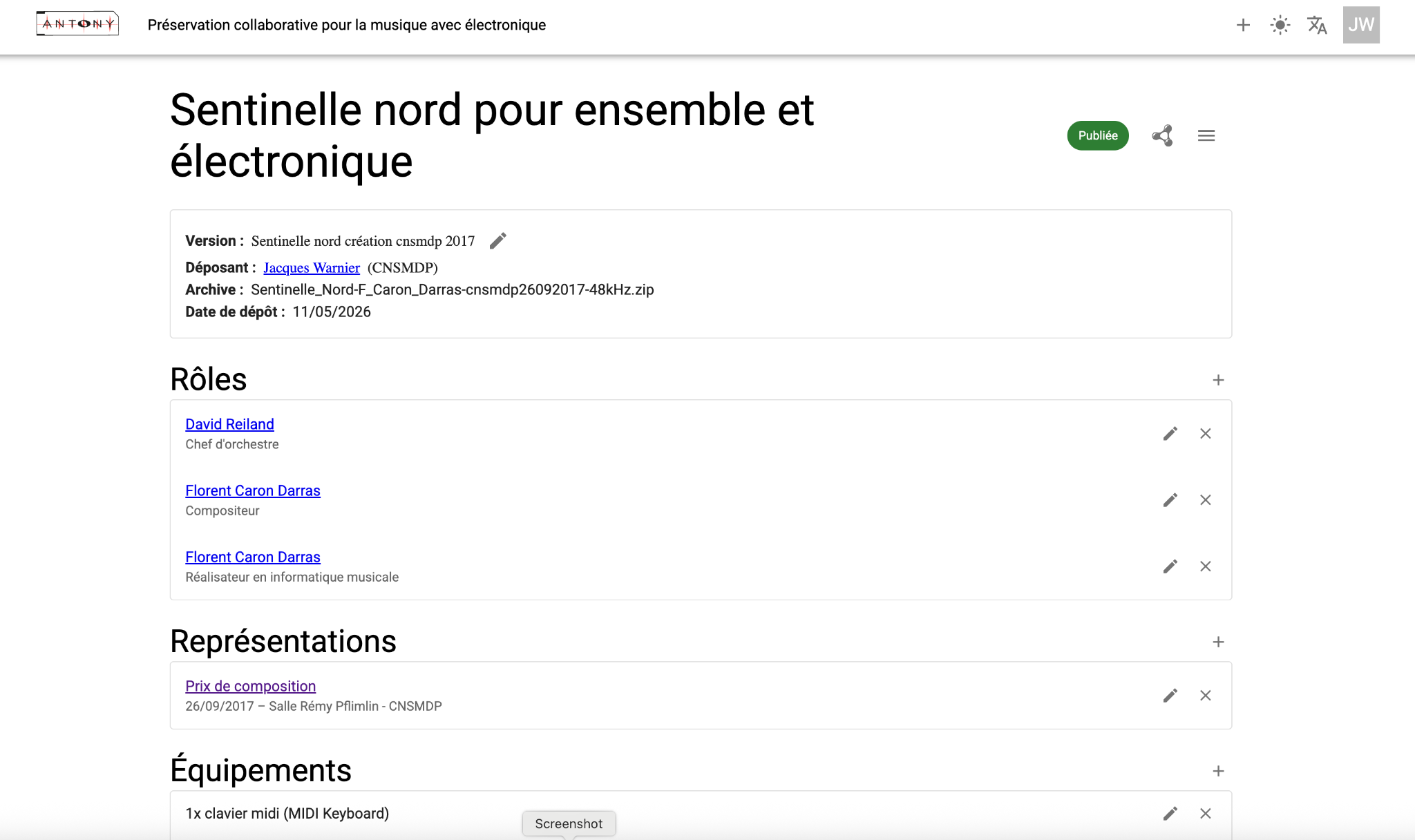
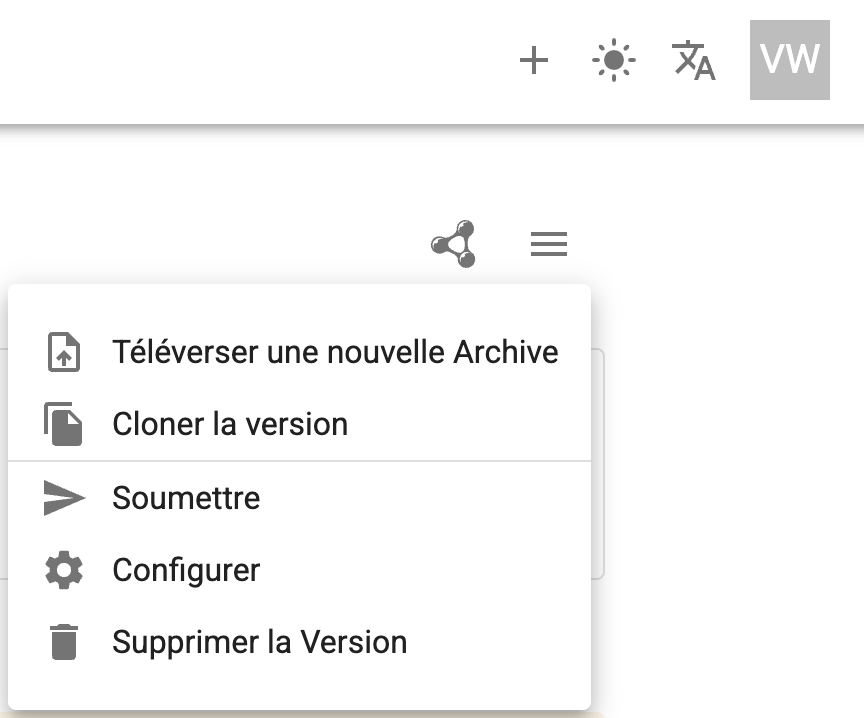
As the depositor, a menu is available in the top right of the version entry page:
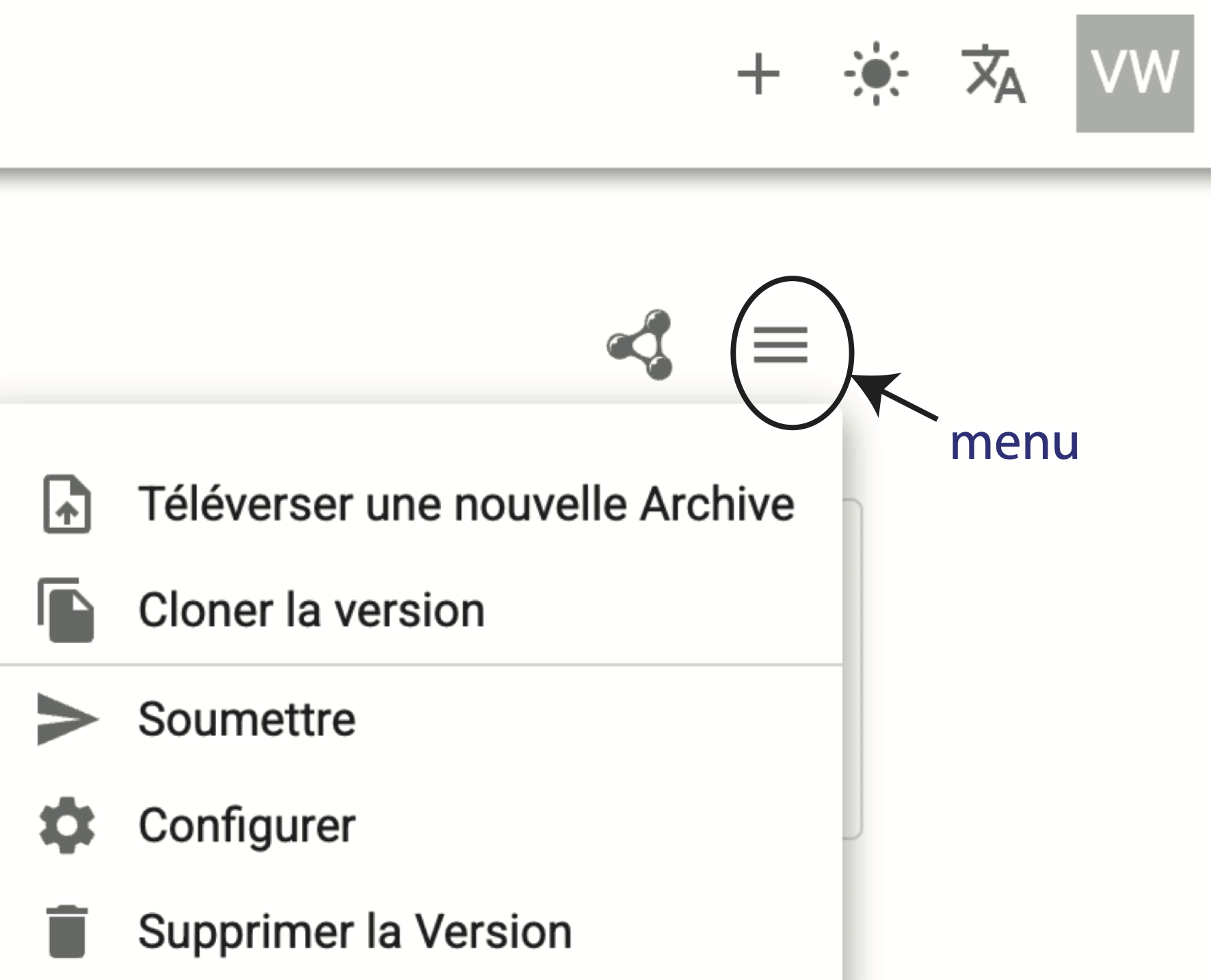
"Upload a new Archive" opens the following prompt, which lets you select the zip archive of the version you wish to deposit:
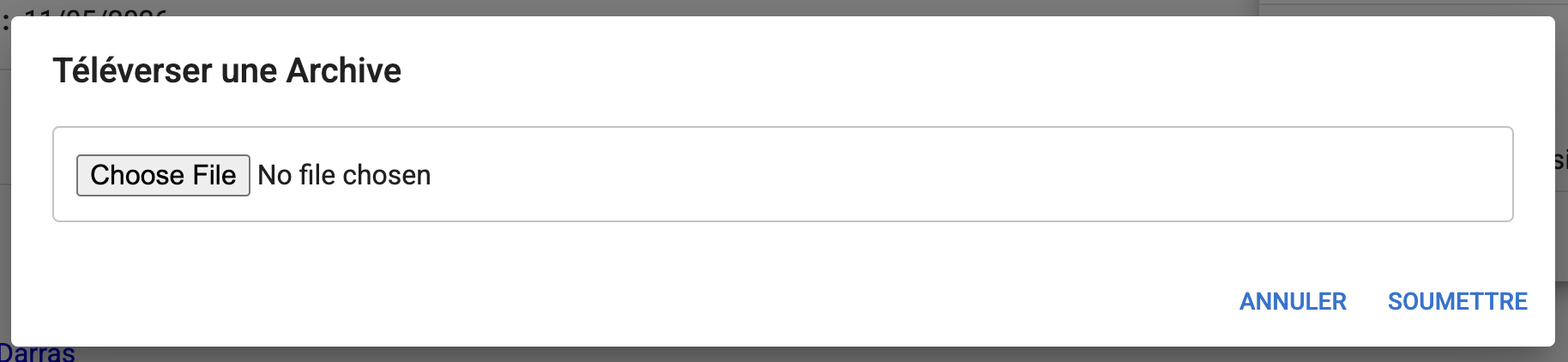
The "SUBMIT" button lets you send, from your local storage location, the zip folder of the version archive you wish to upload to Antony. A progress bar is displayed during the upload. A second one is then displayed while the folder is unzipped in real time to extract the full file tree.
5.2 Information about the deposited version
Being a depositor grants certain write permissions. Entry tools are available: "+" (add) and "x" (delete) let you respectively add or remove roles, performances, equipment, etc. The pencil icon lets you fill in the entry fields.
The version information is organized into different fields within the Antony application:
the credits, or list of roles;
the performances (dates and locations of public performances) linked to the version;
the list of equipment, hardware, and software required to play the piece;
the documentation;
the files.
5.2.1 The credits, or list of roles
It is important to enter the list of the various people who contributed to the public performance of this version because, even if it is well documented and all the materials needed to perform it are available, it may be necessary to contact the people involved (sound engineer, performer, computer music designer, or others).
5.2.2 Performances linked to the version
Several performances may have been given using the same version of the work. Antony allows you to enter these various performances.
5.2.3 The equipment list
Antony references a thesaurus in which different categories of equipment are defined. This thesaurus is built by the community on the Opentheso platform, independently of the Antony application.
In the Antony database, for each equipment category, users can save the exact reference of the hardware or software (manufacturer name, equipment name, e.g. YAMAHA DX7).
5.2.4 The documentation
The "documentation" section contains, in the form of written text (in Markdown format), all the instructions needed to play the piece. It is, in effect, the piece's instruction manual. Recommendations for writing this instruction manual are detailed further on (the charter), and it is therefore advisable to follow these recommendations! Images can be inserted into this documentation.
5.2.5 The files
All files required to play the piece, as well as the files documenting it, must be saved in order to be preserved. These may be of various types: patches, sound files, computer programs, or even stage layout diagrams, photos, annotated scores, audio or video recordings, etc.
Anything that may be useful in completing the archive should be included in it.
The archive deposit procedure collects all the files in the archive and presents the entire file tree of the archive to the public.
The depositor and any invited collaborators can access all deposited files and download them. Depending on their format (e.g. PDF or photo), some files can be viewed directly within the Antony application.
Upon request, a registered user may be granted temporary access to the resources needed to perform a work, subject to the rights associated with the files in question.
The zip archive is always kept in its original state.
In addition, its contents are analyzed so that only a single version of each file is kept in the database, in case an identical document already exists there.
5.3 Documentation charter
The documentation charter is intended to make it easy to enter documentation into Antony, without too many constraints, and to standardize documentation.
The following paragraphs set out the charter to be followed, as far as possible, so that the performance materials are complete, allow the work to be revived, and facilitate future porting.
Below is the list of elements that ideal documentation should contain, and the conditions it must meet in order to be validated and published.
The objectives of this charter are:
to give guidance to computer music designers and documentalists on what should be included in the documentation;
to develop tools for automatically checking documentation compliance;
to enable the validation stage (switching to "published" status).
5.3.1 Instructions
The documentation must be understandable and written in correct French and/or English.
5.3.2 File formats
Use standard PDF files.
Note: online validation tools exist, for example: http://www.pdf-tools.com/pdf/validate-pdfa-online.aspx
Check that there are no files in proprietary formats (Canvas, iWork, etc.).
5.3.3 Storage
On Antony, all archives are stored in zip format.
5.3.4 Sound file formats
Prefer uncompressed formats such as WAV and AIFF. For example, avoid SD2!
5.3.5 Date and computer music designer (RIM) of a performance
The date of a concert at which the version was performed, as well as the name of the computer music designer who performed it, must be entered in Antony.
5.3.6 Equipment list
Without needing to be exhaustive, the equipment list should be reasonably detailed. For a piece using a computer, it must contain at least:
the computer model;
the OS version;
the number of loudspeakers.
5.3.7 Technical rider
If possible, include the technical rider prepared by the sound engineer or computer music designer:
loudspeaker layout;
layout of acoustic and electronic instruments on stage.
5.3.8 Computer languages and software (Max/Pure Data/…)
State the version of the software used.
Program instructions:
how to run the program?
DSP parameter settings;
sample rate of the sounds and of the program: 44.1, 48 kHz;
number of audio inputs/outputs;
input/output assignment: is it documented?
type of spatial diffusion: stereo / frontal / surround / 3D;
MIDI controller configuration (MIDI mixer);
are there any libraries that need to be included?
protected objects: check and list, within the patch, any object(s) with software protection (commercial plugins).
5.3.9 Commercial plugins
The long-term preservation of pieces relying on commercial software depends on the long-term availability of that software.
5.3.10 Use of a sampler
For pieces that use a sampler (Akai, SampleCell, soundfonts, etc.), the sound files and programs must be documented in a durable (text-based) form.
5.3.11 Recordings
provide the audio files intended to feed the patch's inputs (ADC), enabling real-time processing tests to be carried out without the musicians present;
provide the audio files obtained from the patch's outputs (DAC), enabling the electronic part alone to be listened to;
provide recordings of the work or video recordings.
5.3.12 Scores
Provide scores for the work or a link to the publisher.
If possible, provide the annotated performance score or, failing that, include all necessary instructions in the documentation.
Provide the score for the triggering MIDI device, if applicable.
5.3.13 Performance notes
In this section, indicate any information useful for performing the work in concert (such as information on balance between sound layers, dynamics to be observed, tricky points in terms of synchronization, the author's aesthetic intentions, etc.).
6. Remaining menu items
We saw above the existence of the menu shown, which appears when you are logged in and on the documentation page of a version.
We have discussed the archive upload function. This function is also useful a second time, if you want to replace an existing archive with another one.
Clone the version lets you create a new version based on an existing version. This is useful if you want to keep part of the documentation. Cloning only copies the documentation part. In this case, a new archive must be uploaded.
Submit action. When a version is created, it is in draft mode by default. It is not publicly available in the database. When it is ready to be published, a request must be made using the "Submit" button. The editorial committee, responsible for mediation, receives the request, and a dialogue can then take place to check, in particular, whether the depositor holds the necessary rights and whether anything essential is missing that would allow the work to be replayed.
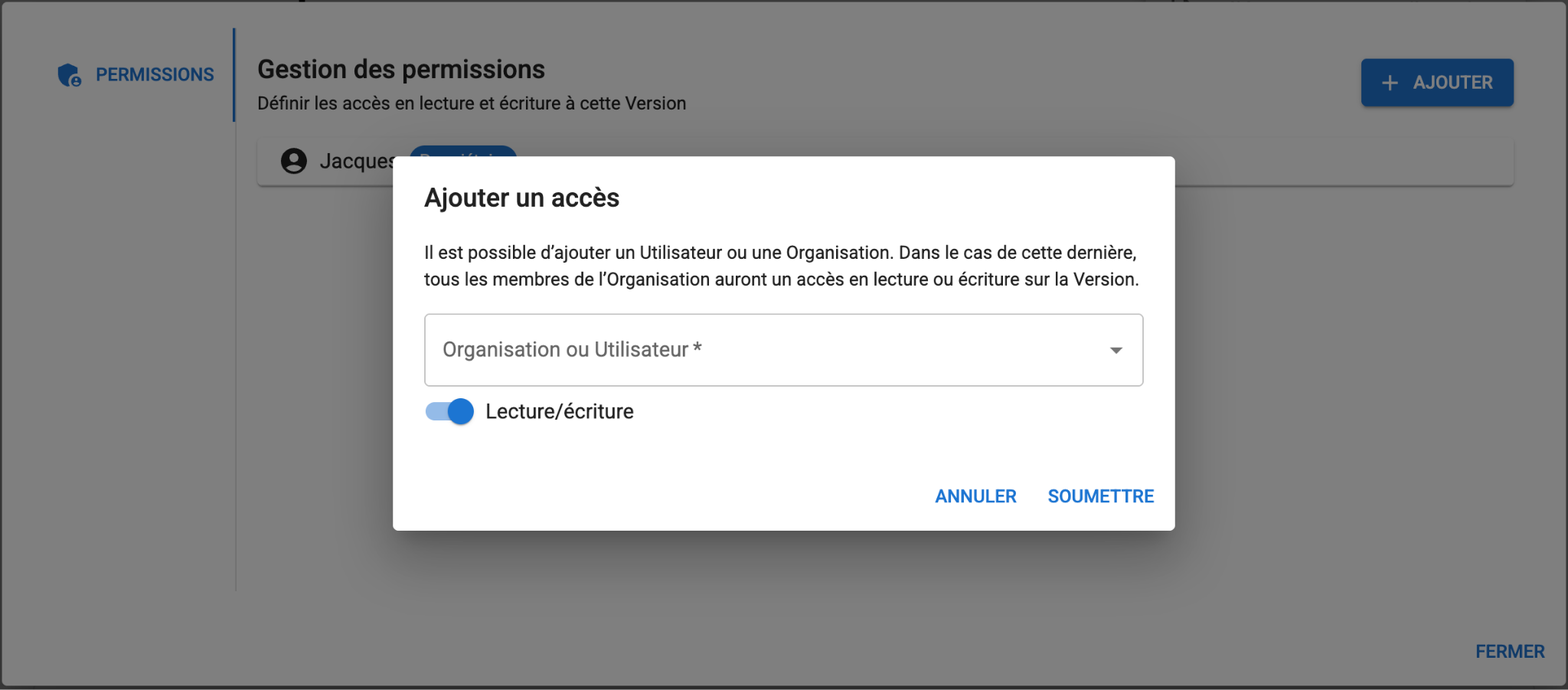
Configure: this function opens the following prompt, allowing you to share the version with collaborators in read-only or read/write mode:

Delete the version: as indicated, this command allows you to delete the version currently displayed.
Clicking on your initials in the top right gives you access to the "My versions" command. This displays all the versions you have created, regardless of whether their status is draft or published.
RDF: clicking on the icon opens the following menu:
RDFS (RDF Schema) is a knowledge representation language. It allows classes and properties to be defined in RDF, and a resource to be associated with a class (rdfs:type). A set of classes and properties constitutes an ontology (or vocabulary)[2].
Antony can be exported in RDF format for the sake of interoperability and in order to make the data held in Antony more visible.
Notes
- The editorial committee is responsible for administering and moderating the Antony platform.
- https://www.culture.gouv.fr/thematiques/innovation-numerique/faciliter-l-acces-aux-donnees-et-aux-contenus-culturels/web-semantique-outils-pratiques